Is It Safe to Upload Personal Family Photos to AI Generators? Data Privacy Explained
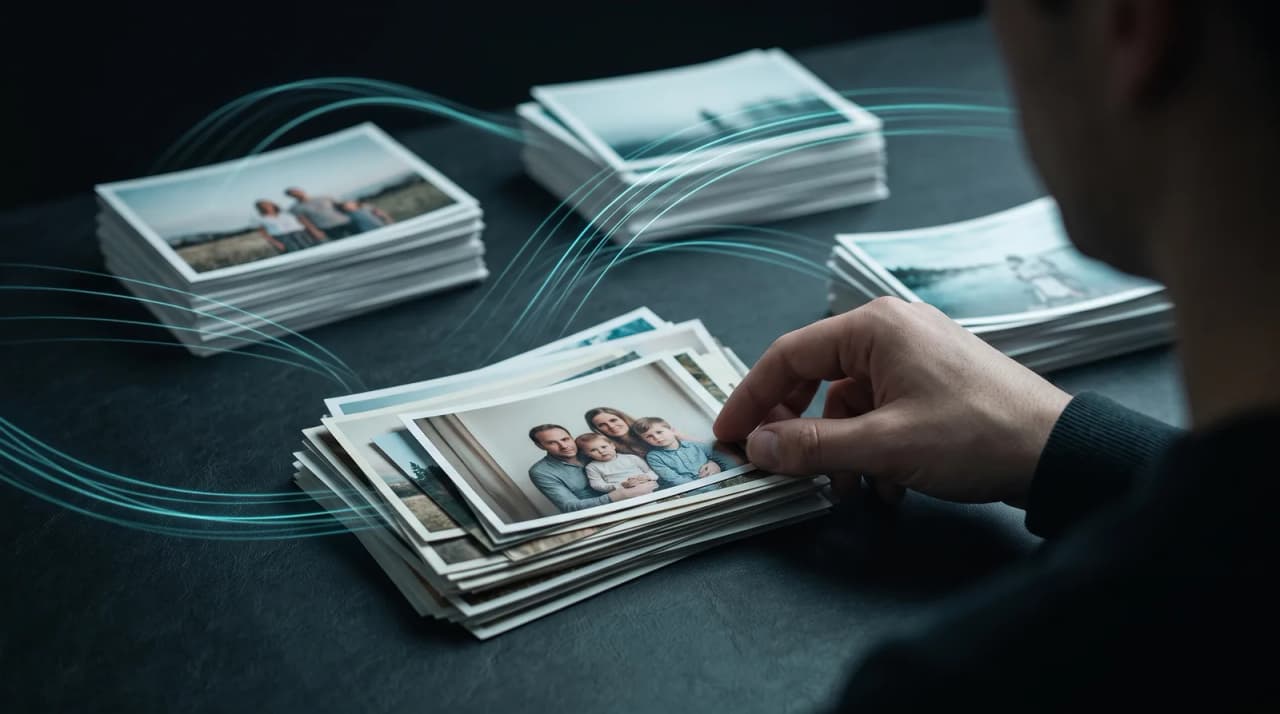
Quick answer
Uploading family photos to AI generators is safest when the platform encrypts uploads, never trains on them, and lets you delete your data.
By LifeStory AI Editorial · ·
In this guide (8 sections)
You should always read the privacy policy to ensure your images are not used to train public AI models or sold to third parties.
You want to turn old family photos into a beautiful video, but your finger hesitates over upload. Children's faces, a parent's hospital room smile, an adoption homecoming — these are not stock images. They are your family's private history, and the internet has trained you to assume someone else wants a copy. That caution is reasonable. The question is what to verify before you proceed.
What happens to photos after you upload them?
Most AI video tools process images on cloud servers. Risk appears after processing: some platforms retain uploads indefinitely for model training or analytics; others delete source files on a stated schedule. The difference lives in the privacy policy, not the marketing page.
Sources: FTC privacy and security guidance for businesses (opens in new tab).
Imagine this: the app you delete but cannot un-upload
Imagine you try a free face-animation app on a whim. It works. You delete the app from your phone. Months later, a policy update mentions "improving our models with user content." You never agreed to that in plain language — but the upload already happened. That scenario is why deletion timelines and training exclusions matter more than star ratings.
What is the Privacy Gate Check?
The Privacy Gate Check is a five-point review to run before any family photo touches a third-party server:
| Gate | Pass criteria | Fail signal |
|---|---|---|
| Ownership | You retain copyright on uploads and outputs | "Perpetual, irrevocable license" to the company |
| Training | Explicit no-training on personal uploads | Vague "improve our services" language |
| Sharing | Clear statement: no sale to third parties | Data "partners" or "affiliates" without limits |
| Retention | Retention stated plainly, with deletion on request | Unclear retention and no way to delete |
| Encryption | Encryption in transit and at rest stated plainly | No security section in the policy |
Our recommendation: if two or more gates fail, choose a different tool — no matter how impressive the demo looks.
Privacy Gate Check at a glance
Encryption
   ↓
Deletion policy
   ↓
No training claim
   ↓
Your copy saved
What are the biggest privacy risks?
Model training — Your faces become training data for future generations unless excluded by policy.
Third-party sharing — Data sold or shared with advertisers and analytics vendors.
Unclear storage — Files sit on servers with no stated retention or way to delete them, vulnerable to breaches and policy changes. Long retention also feeds digital oblivion's opposite problem: data that exists everywhere except where your family controls it.
How does LifeStory AI handle uploads?
LifeStory AI is built for private, personal milestone videos. Uploads are stored encrypted and used only to create your video. Today your photos and finished video are kept so you can re-download it and get support; there is no automatic deletion window, and you can ask us to delete them at any time by emailing support@lifestory.my. The platform does not use personal uploads to train public models — verify current terms on the site before uploading, as policies can change.
For military homecoming montages or any video featuring minors, the same gate check applies: retention, training, and ownership language first; features second. The photo count you upload affects exposure surface too — see how many photos you actually need before sending a whole camera roll.
When you are ready to share the finished film, milestone video sharing practices help you separate public posts from private family distribution.
Example prompt: questions to email any vendor
If a policy is unclear, send this before uploading:
1. How long are my source photos kept, and can I ask you to delete them?
2. Are personal uploads excluded from model training — yes or no?
3. Do I retain full copyright on originals and the exported video?
4. Are files encrypted in transit and at rest during processing?
5. Under what conditions would data be shared with third parties?
A vendor that cannot answer in plain language is telling you something.
What are common privacy mistakes?
- Trusting "we take privacy seriously" without reading retention details — slogans are not schedules.
- Using the same password as other accounts — breach risk compounds across services.
- Uploading more images than the project needs — minimum necessary is a good family rule too.
- Assuming deletion on your device deletes server copies — always check server-side policy.
- Skipping policy updates after you first signed up — terms change; re-read before new uploads.
- Posting the finished video publicly while metadata still geotags home locations — strip location data when sharing broadly.
What is your pre-upload checklist?
- Run all five Privacy Gate Check points against the current policy
- Confirm the retention period and how to request deletion in writing (FAQ or support)
- Upload only the photos required for the video
- Download and store the finished MP4 in storage you control
- Avoid public social posting if the subject prefers private distribution
- Re-check policy if more than six months passed since last upload
Cross-method note: Run the Privacy Gate Check before any upload when the archive includes children, home interiors, or medical-era photos.
What have we noticed?
We've noticed families pause uploads when deletion policy is vague — state the retention window out loud before asking for childhood scans.
Our editorial take
We think speed without a clear deletion promise is the wrong trade for milestone archives.
A surprisingly specific detail
Download your final MP4 to a drive you control before sharing copies — custody matters as much as encryption.
Frequently asked questions
Is uploading family photos to AI ever zero-risk?
No online processing is zero-risk. The goal is informed, minimized risk: encryption, clear retention terms, no training, and ownership you keep.
What phrasing is a red flag in terms of service?
"Perpetual, irrevocable, worldwide license" to your content. That often means the company can keep using your images after you delete your account.
Are on-device AI apps automatically safer?
They reduce cloud exposure but may still phone home for updates or analytics. Read their policies too.
Can I safely create AI videos of my children?
Yes, with a platform that passes the Privacy Gate Check and with distribution you control — private link or family chat rather than public posting if that fits your comfort level.
How long does LifeStory AI keep my photos?
Today, uploads and finished videos are kept so you can re-download your video and get support. Email support@lifestory.my and we will delete them. Keep your exported video locally; do not rely on any service as long-term storage.
More in this topic
The Danger of Digital Oblivion: How Automated Processing Saves Family Photos
Digital oblivion threatens millions of personal photos trapped in failing hard drives and bloated cloud storage accounts.
How Long Does Video Morphing Take? Manual Editing vs. AI Rendering
Traditional video morphing requires hours of manual keyframing, alignment, and rendering in complex software like After Effects.