How to Create an AI Relationship Evolution Video From First Date to Marriage
Quick answer
You can create a cinematic relationship evolution video by uploading a few milestone photos to an AI video generator like LifeStory AI.
By LifeStory AI Editorial · ·
In this guide (10 sections)
The platform securely processes your images to render a seamless, emotional timeline of your journey from the first date to your wedding day.
You have hundreds of photos that prove you built a life together, yet scrolling a camera roll rarely feels like a story. The moments that matter are buried between screenshots, blurry dinners, and group shots where neither of you is really looking at the camera.
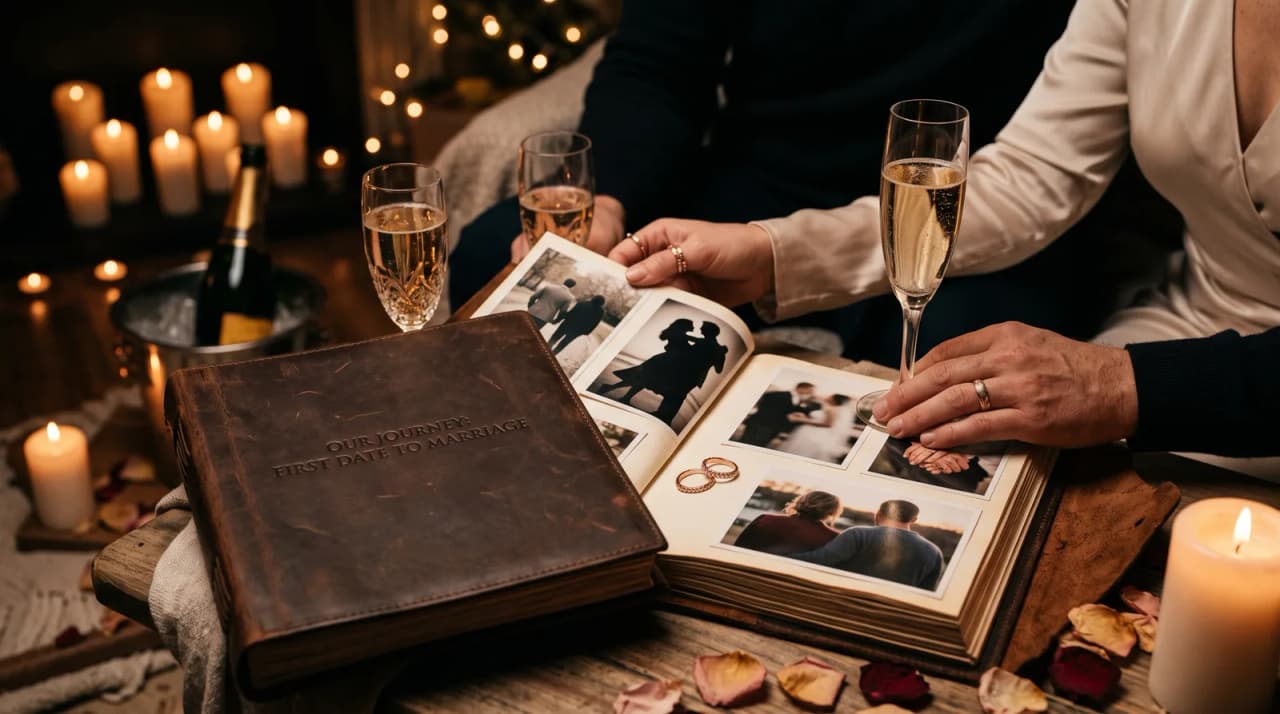
Imagine opening your anniversary dinner with one soft photo from your first date, then watching yourselves move through the tiny apartment, the engagement weekend, and the walk down the aisle. The table goes quiet for a reason: people are watching time become visible.
What tends to work for a relationship timeline video?
Our recommendation: climb five milestone rungs with one strong photo each, reveal the film once during a seated moment, and keep the total runtime under three minutes. A camera-roll scroll at the table feels like homework; a short evolution arc feels like a gift.
Why should couples use AI for a relationship timeline video?
Manual editing takes hours of sorting, cropping, and music syncing. Most couples do not want a second project on top of planning the celebration itself. AI helps when you already know the milestones and mainly need help turning stills into motion.
Sources: Library of Congress photo preservation FAQ (opens in new tab).
We generally recommend choosing fewer, stronger photos over a long dump of similar weekends. Relationship videos lose energy when every frame feels like the same season of life.
What is the Milestone Ladder Method?
The Milestone Ladder Method keeps your story easy to follow. Climb only the rungs that changed your life together:
- First meeting energy - the earliest clear photo of both of you.
- Becoming a unit - moving in, meeting families, or the first trip that felt like home.
- Commitment signal - engagement, private promise, or the decision that changed the calendar.
- Public vow - wedding day or the ceremony that mattered to you.
- Present chapter - a recent portrait that shows who you are now.
Skip any rung you cannot support with a real photo. An honest ladder is better than a forced one.
What does a simple relationship storyboard look like?
| Order | Moment | Photo note |
|---|---|---|
| 1 | First date | Both faces visible, natural light if possible |
| 2 | Early everyday life | Kitchen, couch, or city walk - not only posed portraits |
| 3 | Commitment | Ring shot only if faces are still readable |
| 4 | Wedding | One strong aisle or portrait frame |
| 5 | Now | Same two people, clearer than perfect |
This storyboard also works for rehearsal dinner growing-up tributes when parents want a parallel story of one partner's childhood.
Milestone Ladder Method at a glance
First date
   ↓
Daily life together
   ↓
Commitment
   ↓
Wedding
   ↓
Present chapter
How do you choose photos that survive the edit?
Clear faces matter more than perfect outfits. Avoid crowded group shots where the AI - or your guests - cannot tell who the story is about.
Photo selection checklist:
- Both faces are lit and visible
- Milestones show real change, not just new outfits
- Photos are ordered oldest to newest
- Backgrounds are simple enough that you remain the subject
- Near-duplicates from the same minute are removed
If you are building this as a last-minute gift, start with the anniversary gift shortcuts that still feel personal and then refine photo quality once the date is locked.
How do you create the video with LifeStory AI?
| Step | What you do | Why it matters |
|---|---|---|
| 1. Curate | Select a focused set of milestone photos (at least three, up to the studio's maximum) | Protects pacing and emotional clarity |
| 2. Upload | Add them to LifeStory AI in order | Keeps the ladder chronological |
| 3. Generate | Create the evolution video | Turns stills into one watchable arc |
| 4. Review | Watch once for face focus and order | Catches weak frames before guests do |
| 5. Share | Download and save a private copy | Lets you replay it on anniversaries |
Is it safe to upload intimate couple photos?
Privacy deserves a careful choice of tool. LifeStory AI stores uploads encrypted, uses them only to create your video, and deletes them on request. That matters when the archive includes private proposals, home interiors, or family moments you would not want living on a random server.
How long does rendering usually take?
You should plan for minutes, not a weekend of edits. Many couples start the process while preparing dinner and review the file before guests arrive. Leave a little buffer so you can swap one weak photo if needed.
Where should you share a relationship evolution video?
Play it once as a centered moment, not as endless background wallpaper. It works as a private anniversary gift, a reception screen moment, or a quiet send to family who could not attend. For later silver or golden celebrations, you can extend the same archive into a 25th anniversary tribute or a 50th anniversary visual.
If you want to understand why these videos hit so hard in a room, the emotional pattern behind why evolution videos make us cry is often the same: people recognize love as time made visible.
Cross-method note: After the wedding chapter, the Milestone Ladder Method pairs naturally with the Silver Arc Method when you host future anniversary parties — same photos, richer era spacing.
What have we noticed?
We've noticed couple timelines where three consecutive photos come from the same month feel static — the ladder needs rungs that changed your life, not your filter.
Our editorial take
Our editorial take: engagement ring close-ups without readable faces almost always waste a rung. Skip the prop shot unless both faces stay clear.
A surprisingly specific detail
For a dinner reveal, export at 1080p and test on the venue TV the night before — phone brightness lies; projectors wash out mid-tones.
What mistakes do we see over and over?
- Opening with a huge group photo - guests cannot find the couple.
- Using ten photos from one vacation - the ladder never climbs.
- Skipping the awkward early years - perfect-only stories feel distant.
- Including heavy filters or face-warping edits - transitions look unstable.
- Texting the file with no context - the reveal needs a place and a pause.
- Overloading wedding-day frames - one or two vows photos beat twenty similar poses.
Before you create your relationship evolution video
- Write your five Milestone Ladder rungs on paper
- Pull one strong photo for each rung you can support
- Delete near-duplicates and unclear group shots
- Generate the video with LifeStory AI
- Watch it once together before any public reveal
- Decide the first audience: private dinner, reception, or family chat
Frequently asked questions
How many photos do we need for a relationship evolution video?
A focused set of milestone images (at least three, up to the studio's maximum) is usually enough if each rung shows real change. Fewer strong anchors beat a long stack of similar weekends.
Can we use only wedding photos?
You can, but the ladder works best when it starts before the vows. One early dating or everyday-life frame sets the emotional baseline.
Is it safe to upload intimate couple photos?
Choose a tool with clear privacy defaults. LifeStory AI stores uploads encrypted, uses them only to create your video, and deletes them on request.
Should we play it at the reception or keep it private?
Either works - the key is a intentional pause. A centered reception moment and a private anniversary dinner reveal use the same file; only the audience changes.
Your relationship already has the story. The video's only job is to make the climb visible again.
More in this topic
How to Make a Growing Up Video for a Wedding Rehearsal Dinner
Creating a growing up video for a rehearsal dinner starts with a small, well-chosen set of photos from the bride and groom's childhoods, their meeting,…
50th Anniversary Video Ideas: How to Render a Lifetime Partnership with AI
Creating a 50th anniversary video for your parents does not require expensive software or weeks of editing.
How Do You Show a Couple's Evolution for a 25th Wedding Anniversary?
The best way to showcase a 25-year marriage is by combining physical memorabilia with a modern digital centerpiece.