How Do I Create a High School Graduation Transformation Video?
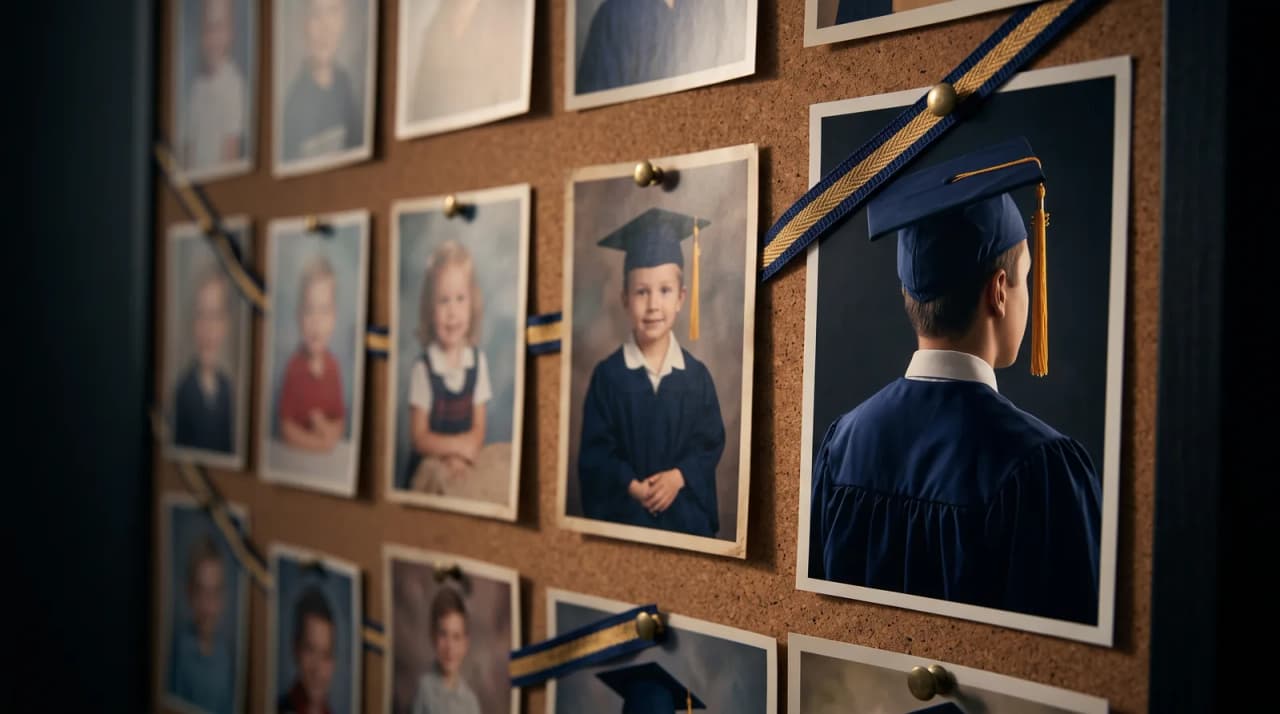
Quick answer
Gather kindergarten-through-senior photos and turn them into a cinematic graduation evolution video in minutes.
By LifeStory AI Editorial · ·
In this guide (8 sections)
Tools like LifeStory AI instantly blend these images into a professional, shareable video without requiring any editing skills.
The cap-and-gown fitting is done, the announcements are ordered, and suddenly eighteen years feel like they happened in a single afternoon. You have shoeboxes of school portraits and a camera roll that stops making chronological sense around sophomore year. A graduation evolution video turns that scattered proof of growth into one shared moment everyone can feel at once.
Why does a morphing timeline beat a graduation slideshow?
Parents are moving away from static slideshows because pacing matters at crowded events. A morphing evolution video compresses a childhood into thirty seconds without asking guests to squint at tiny thumbnails. In our view, the format works because it mirrors how memory actually feels: sudden, layered, and emotionally front-loaded.
Sources: Library of Congress digital preservation overview (opens in new tab).
The same approach travels well when relatives cannot attend in person. A single file plays cleanly on a phone, a projector, or a group chat without dragging everyone through two hundred unsorted images.
Imagine this: the backyard reveal that stops the party
Imagine your graduate walking into the backyard party, expecting cake and small talk, and instead the TV shows their gap-toothed kindergarten smile morphing into a senior portrait. The room goes quiet for three seconds, then someone laughs through tears. That is the gift static albums rarely deliver.
What is the Six-Station Graduation Arc?
The Six-Station Graduation Arc is a simple way to choose milestone photos for a kindergarten-through-senior evolution video. You need six clear stations, one per turning point in the school journey:
| Station | Typical Age | What to Capture |
|---|---|---|
| Early childhood | 3-5 | Clear toddler or preschool portrait |
| Kindergarten | 5-6 | First-day backpack photo |
| Elementary | 8-10 | School picture with an obvious growth gap |
| Middle school | 12-14 | Awkward but recognizable portrait |
| High school entry | 14-15 | Freshman-year face, not just a team roster shot |
| Senior year | 17-18 | Cap-and-gown or official senior portrait |
Front-facing portraits with even lighting give automated transition tools the cleanest facial map. If you are sorting a messy camera roll first, our guide to structuring photos chronologically saves real time.
Storyboard sketch: how the arc should feel on screen
[Kindergarten grin] → [gap years implied] → [middle-school braces]
        ↓                                           ↓
[elementary gap-tooth] ───────────────→ [senior cap & gown HOLD 2 sec]
Hold the final senior image slightly longer. Guests need a beat to land on who the child became.
How does LifeStory AI fit a graduation reveal?
Graduation season already demands enough logistics. Rather than learning keyframes in desktop editing software, upload your Six-Station set to LifeStory AI in chronological order. The platform uses your milestone portraits as anchor points and generates cinematic transitions between them.
That workflow matters when you are short on time but still want a polished centerpiece for the party. Privacy matters for family archives: uploads are stored encrypted, used only to create your video, and deleted on request. Pair the result with tips for sharing milestone videos on social media if out-of-town family will watch on phones. For university-bound graduates, the same format extends naturally into a college graduation recap four years later.
How do you time the graduation video reveal?
Timing is everything. You want a captive audience without killing the party's energy.
| Event Stage | Action | Why it works |
|---|---|---|
| Pre-party | Screens off or one static senior portrait | Builds anticipation without spoiling the surprise |
| After food service | Guests seated, lights slightly dimmed | Fewer distractions than during active serving |
| During a toast | Parent or sibling introduces the film | Connects the video to a real voice in the room |
| The reveal | Play the evolution video on the main screen | Delivers a fast, shared emotional peak |
Cast to the largest screen at the party for maximum impact. Save a copy for grandparents who are not on social platforms. The same seated-reveal timing we cover in our event deployment guide applies here — loop short, reveal once.
Cross-method note: High-school and college arcs share the same pacing instinct as the Four-Year Arc Method — one strong frame per era, not a yearbook dump.
What have we noticed?
We've noticed graduation arcs that include one pre-school anchor feel more like a life story than senior-year-only montages.
Our editorial take
Our editorial take: fifteen similar cap-and-gown shots are almost always redundant — one strong graduation frame is enough.
A surprisingly specific detail
Export one vertical crop for phones and one horizontal for the projector if the venue screen is widescreen.
What mistakes do we see over and over?
- Using group shots as anchors — team photos and prom groups hide facial detail; pick solo portraits instead.
- Skipping the awkward middle years — jumping from age six to age seventeen makes the morph feel like a magic trick rather than a life story.
- Mixing heavy filters across decades — consistent skin tone and lighting produce smoother transitions than a filtered senior portrait beside a flat scanned print.
- Choosing a weak opening frame — your first image sets the emotional hook; see choosing the best cover photo for video thumbnails before you finalize station one.
- Forgetting audio and venue testing — a silent morph on a blown-out projector reads as unfinished, not sentimental.
- Rushing the final reveal — texting the file while guests are still arriving wastes the shared gasp moment you built the video for.
What should you do before graduation day?
Use this checklist the week of the party:
- Gather six front-facing portraits spanning kindergarten through senior year
- Confirm chronological order and consistent lighting where possible
- Pick a strong opening frame and a held final senior portrait
- Create the evolution video with LifeStory AI and preview on the venue screen
- Confirm who gives the toast and when the screen cue happens
- Save the master file for a future college recap using the same arc
Frequently asked questions
How many photos do you actually need?
Six strong stations often outperform twenty mediocre snapshots. Add one or two bonus milestones only if each image clearly advances the story.
Can you use scanned yearbook prints?
Yes, if the face is sharp and well lit. Digitize prints with even daylight before uploading.
Will this work for a co-valedictorian twin situation?
Give each graduate their own Six-Station Arc, then play them back-to-back or intercut stations by age for a side-by-side growth story.
How long should the final video run?
Roughly twenty to forty-five seconds keeps party attention without feeling rushed.