How to Make a Cinematic Quinceañera Photo Transition Video
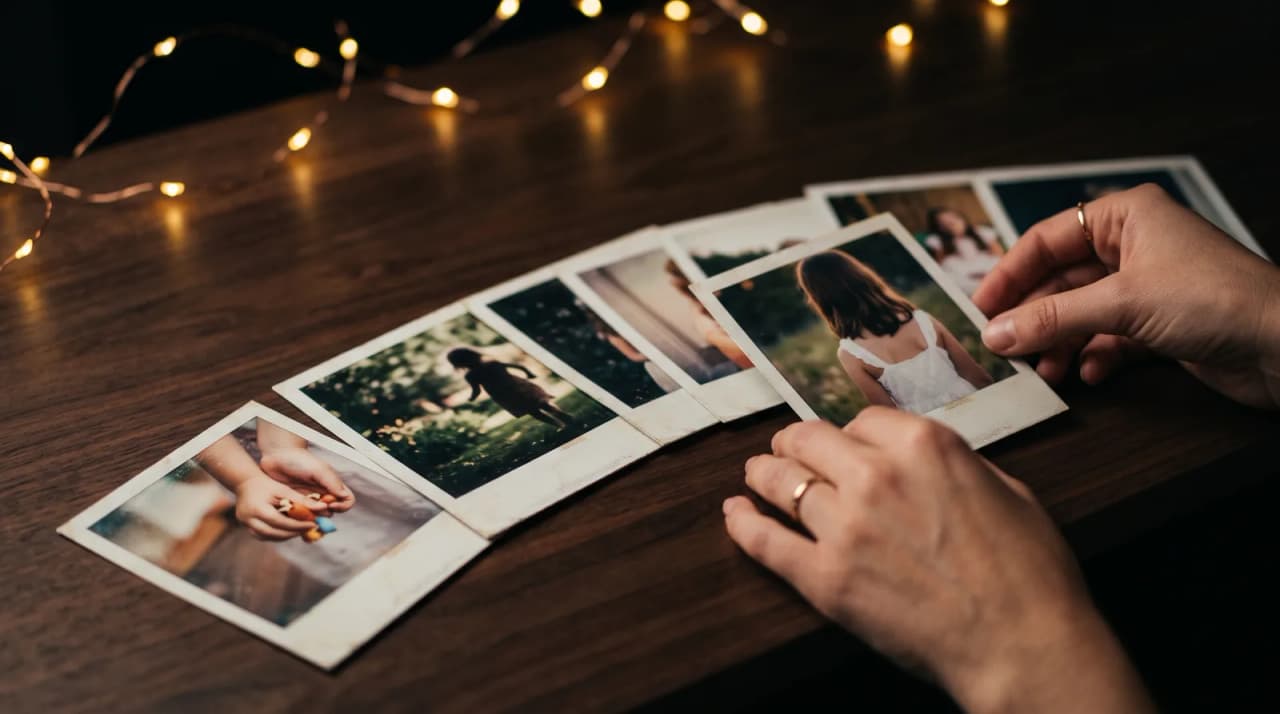
Quick answer
Select childhood milestone photos and turn them into a cinematic Quinceañera evolution video in minutes.
By LifeStory AI Editorial · ·
In this guide (9 sections)
This approach saves parents hours of frustration while delivering a cinematic, emotional centerpiece for the 15th birthday celebration.
Quince planning is a spreadsheet of dress fittings, venue deposits, and cousin politics. The photo montage should not be the task that breaks you at midnight. You want guests to feel fifteen years of growth in one shared breath — not sit through another endless slideshow while dinner gets cold.
Why is the montage the emotional core of a Quinceañera?
The video is where guests synchronize their memory of the honoree. A cinematic morph elevates tradition from background noise to centerpiece ritual. Families who plan Sweet 16 timeline videos use the same logic with different cultural accents.
Fifteen years is long enough to need curation and short enough that every chosen frame still feels recent to someone in the room.
Imagine this: the reception hall goes quiet
Imagine the reception hall lights dipping as a newborn close-up becomes first Communion, then a soccer jersey year, then the young woman in tonight's heels. Abuela reaches for a napkin. The DJ does not talk over the moment because the room will not let him.
What is the Quince Timeline of Fifteen?
The Quince Timeline of Fifteen considers one intentional photo per year of life, then keeps the strongest years that fit the studio's photo limit before the birthday portrait. It forces meaning-per-image instead of volume-for-volume's sake.
| Year Beat | Typical Moment | Visual Goal |
|---|---|---|
| 0-1 | Newborn or baptism close-up | Immediate emotional hook |
| 2-3 | Toddler personality candid | Shows early spark |
| 4-6 | First school or formal milestone | Clear growth jump |
| 7-9 | Hobby, sport, or family trip | Personality beyond school portraits |
| 10-12 | Tween era solo portrait | Bridges childhood to teen |
| 13-14 | Recent pre-quince candid | Connects to honoree tonight |
| 15 | Birthday portrait or dress fitting | Lands on present celebration |
Borrow structure from Bar or Bat Mitzvah growing-up timelines when faith milestones appear in your family's story. Celebrating adoption milestones visually offers inclusive framing if your Quince story begins after day one.
Storyboard sketch: fifteen beats compressed
[Year 1 close-up] → [Year 5 school] → [Year 9 hobby] → [Year 13 candid] → [Year 15 dress — final frame]
Compress intermediate years visually; the audience supplies the missing chapters emotionally.
Quince Timeline of Fifteen at a glance
Baby
   ↓
Childhood
   ↓
Pre-teen
   ↓
Quince day
How many photos should you include?
A focused set of anchors (at least three, up to the studio's maximum) with a strong opening and closing beat usually outperforms forty repetitive birthday party shots. If a year lacks a perfect image, borrow an adjacent year's candid rather than inserting a blurry group frame.
Digitize shoebox prints with smartphone scanning tips before they become upload anchors.
How does LifeStory AI fit a Quinceañera reception reveal?
Venue week is not the time to learn nonlinear editing. Upload your Quince Timeline set chronologically to LifeStory AI. The platform paces transitions between anchors so parents focus on hospitality, not keyframes.
Childhood archives are sensitive. Uploads are stored encrypted, used only to create your video, and deleted on request. Confirm file format with your DJ or venue manager early. Test aspect ratio on their projector the week before, not during line dance rehearsal.
How do you time the montage at the reception?
| Reception Stage | Action | Why it works |
|---|---|---|
| Before entree service ends | One static childhood photo on screen | Builds anticipation without spoiling the arc |
| After mains cleared | House lights dip slightly, MC introduces honoree | Fewer distractions than during active serving |
| Montage playback | Short evolution film on main screen | Shared emotional peak before dancing resumes |
| After playback | Hold final birthday portrait briefly | Bridges video to the celebration happening in the room |
Coordinate playback order with your master of ceremonies. Clear waitstaff from the screen sightline. After the party, relatives will request copies — export a master file you can send through messaging apps without re-editing.
Cross-method note: After you pick birthday anchors, sanity-check volume with the Anchor-Point Density Scale — fewer era-spaced photos usually morph more cleanly.
What have we noticed?
We've noticed birthday evolution videos with a clear 'then vs now' opening frame get louder reactions than videos that start mid-childhood.
Our editorial take
We think birthday videos fail when every photo is the subject smiling at the camera — one mid-action frame per era adds credibility.
A surprisingly specific detail
If the honoree hates surprises, preview the cut privately the morning of — the gift is the film, not the ambush.
What mistakes turn a Quince montage into background noise?
- Dumping every birthday since age one — repetition dulls impact fast.
- Using group photos where the honoree is tiny — faces must read from the back row.
- Letting uncles supply unapproved joke images — one prank photo hijacks the tone.
- Skipping tech check with the DJ — aspect ratio surprises are common and preventable.
- Running past three minutes without narrative — even beautiful photos fatigue a hungry room.
- Choosing a final frame that does not match tonight's look — bridge to the dress or celebration portrait guests recognize.
What should you do before the reception?
Use this checklist the week of the party:
- Map yearly candidates from birth through age fifteen, then keep the strongest
- Digitize physical prints and drop weak group shots
- Confirm chronological order and honoree approval on sensitive frames
- Create the cinematic transition with LifeStory AI
- Test venue projector format, lighting, and MC cue
- Save a shareable master file for family after the reception
Frequently asked questions
Can you mix English and Spanish captions?
Yes. Short year labels in either or both languages help multigenerational guests follow pacing.
What if you only have digital photos from age five onward?
Start honestly at the oldest clear anchor and use captions to note the story begins mid-archive.
Should the honoree help choose photos?
Many families let her veto images while parents keep final surprise on transitions and music.
Is this different from a Sweet 16 video?
Culturally distinct, structurally similar. Both benefit from tight milestone curation over volume.
More in this topic
How Do You Turn Month-by-Month Baby Photos Into an Evolution Video?
You can turn your baby's monthly milestones into a cinematic evolution video by uploading your clearest monthly photos to a tool like LifeStory AI.
How Do I Make an Evolution Video for a Parent's 60th Birthday?
Gather a handful of clear photos from childhood to today and turn them into a cinematic 60th birthday evolution video in minutes.
How to Create a Seamless Bar or Bat Mitzvah Evolution Video
You can create a seamless Bar or Bat Mitzvah evolution video by curating a focused set of clear anchor photos, one or two per life stage.