How to Kick Off a Multi-Generational Family Reunion With an Ancestral Evolution Video
Quick answer
An ancestral evolution video instantly bridges the gap between generations by visually morphing your family history from old [black-and-white…
By LifeStory AI Editorial · ·
In this guide (9 sections)
portraits](/blog/scanning-old-photos-smartphone-tips) you may need to digitize first to modern selfies. You can easily create this emotional centerpiece using LifeStory AI, which turns a handful of family photos into a cinematic, private, and highly shareable video in minutes.
Family reunions often open with polite distance. Cousins who last met as children search for safe topics while elders sit slightly apart, waiting for the room to feel like family again. A shared visual history shortens that awkward runway.
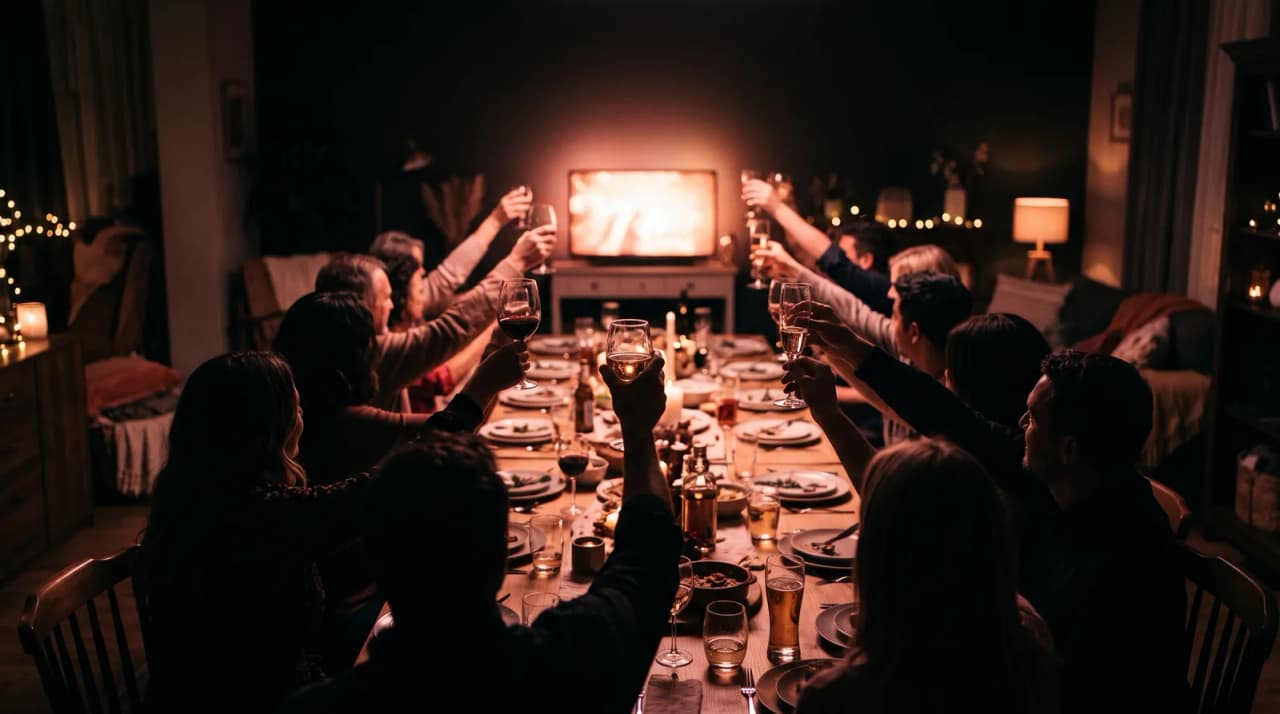
Imagine dimming the lights five minutes after arrivals settle, then playing a short arc from a sepia founding couple to today's cousins on a picnic blanket. Someone points at a familiar jawline. Someone else starts telling the story behind the third photo before the credits end.
What tends to work for a reunion centerpiece video?
Our recommendation: collect two to four photos from each major family branch, play one intentional kickoff screening after arrivals settle, then share the file privately afterward. One household's camera roll should not be the whole story.
Why is an ancestral evolution video such a strong icebreaker?
Visual recognition needs less small talk than name tags. When faces from different decades share one screen, people lean in for personal reasons, not etiquette.
Sources: Library of Congress digital photo preservation basics (opens in new tab).
Older relatives often supply the missing context out loud. Younger relatives get a format that feels closer to the media they already understand. The conversation starts itself.
What is the Four-Branch Gathering Method?
Use the Four-Branch Gathering Method so one side of the family does not dominate the screen:
- Founders - 2 to 3 of the oldest clear portraits you can responsibly digitize.
- Bridge generation - grandparents in youth and later adulthood.
- Expanding branches - parents, aunts, and uncles across households.
- Living room now - cousins, children, and recent gatherings.
Ask each branch for photos early. Representation matters more than perfect resolution, though clearer faces still transition more cleanly. If prints are stuck in albums, use the smartphone scanning workflow for old photos before the reunion week gets chaotic.
What could a reunion kickoff storyboard look like?
| Minute | What plays | What you do in the room |
|---|---|---|
| 0:00-0:20 | Founders and early portraits | Ask guests to find seats facing the screen |
| 0:20-0:50 | Bridge generation and expanding branches | Keep lights low and phones away if you can |
| 0:50-1:20 | Modern cousins and children | Let recognition happen without narration |
| After play | Still holding frame or black screen | Open the floor for one memory each branch |
We generally recommend one intentional kickoff play rather than endless background looping. A centered moment creates a shared beginning. Looping can come later if you want ambient rewatching, as covered in event display setups for timeline videos.
Four-Branch Gathering Method at a glance
Branch A
   ↓
Branch B
   ↓
Branch C
   ↓
Branch D
   ↓
Reunion merge
How do you create the family history video without a production week?
Curate a focused set of portraits in chronological order (at least three, up to the studio's maximum), then upload them to LifeStory AI. The platform builds an evolution video from that short set, which is usually enough for a reunion opener. You are aiming for recognition and continuity, not a documentary cut.
Is it safe to upload old family archives?
Family archives deserve careful handling. LifeStory AI stores uploads encrypted, uses them only to create your video, and deletes them on request. That default helps when multiple households are trusting you with irreplaceable scans.
If the reunion also doubles as a legacy conversation, keep a separate list of interview prompts for elders and consider a later grandparents youth-to-now tribute for a quieter gift moment.
Cross-method note: Build the film first, then deploy it with the Screen-Loop-Share Triangle so cocktail-hour loops do not spoil the seated reveal.
What have we noticed?
We've noticed venue Wi-Fi fails more often than projectors — offline files on a USB beat streaming every time.
Our editorial take
We think looping the full emotional cut during dinner service wastes your best frames.
A surprisingly specific detail
Test audio from the back row, not beside the speaker — speech intelligibility drops fast in banquet halls.
What mistakes do we see over and over?
- Using only one household's photos - other branches feel erased.
- Starting with unclear group crowds - faces never lock.
- Playing the video while people are still arriving - half the room misses the shared start.
- Narrating over every frame - let recognition lead, then invite stories.
- Skipping digitization quality checks - glare and crooked scans distract.
- Forgetting a shareable file afterward - the conversation continues on phones.
How should you follow the video once it ends?
Do not rush straight into logistics announcements. Leave thirty seconds of quiet, then ask one open question: whose face surprised you? That single prompt often brings out the stories you hoped the reunion would hold.
Later, send the file to a family chat so relatives who traveled far can show people who could not attend. A reunion video works hardest when it keeps working after the rental hall closes.
If the gathering also includes elders with fragile print collections, schedule a quiet digitize table during the afternoon rather than asking everyone to mail originals later. That habit protects the archive for the next reunion and pairs well with a separate legacy youth-to-now gift after the weekend.
Before the reunion: centerpiece checklist
- Request 2-4 photos from each major branch at least two weeks ahead
- Digitize prints and discard unreadable scans
- Build the Four-Branch sequence in chronological order
- Generate the video with LifeStory AI and test it on the venue screen
- Schedule the kickoff play after arrivals settle
- Prepare a private share link or file drop for after the first play
Frequently asked questions
How many photos do we need for a reunion opener?
A focused set of chronological portraits (at least three, up to the studio's maximum) is usually enough if each major branch is represented. Recognition matters more than resolution.
When should we play the video?
After arrivals settle and before logistics announcements - not while people are still walking in with coats and coolers.
What if one branch sends nothing?
Proceed with what you have, but ask again early. Representation on screen prevents quiet hurt later in the weekend.
Can we loop the video all weekend?
A featured kickoff play works best first. Silent looping later is optional; see event display setups for timeline videos.
A family reunion needs more than a shared last name. Give the room one story it can watch together, and the introductions get easier from there.
More in this topic
How to Display a Cinematic Timeline Video at a Party: Projectors, QR Codes, and Loops
To successfully display a cinematic timeline video at a party, you need a high-lumen projector for ambient light, a dedicated media player for…
How to Share High-Definition Evolution Videos on WhatsApp and Instagram
To share your LifeStory AI evolution video without losing quality, download the high-definition file directly to your device.
How to Showcase a Founder's Journey Using AI Photo Evolution
Founders can now turn a handful of early garage photos and recent team shots into a cinematic evolution video to celebrate funding rounds or company…